Choose your tracking mode
The data you record determines the insight you can review. Choose a level that is practical for the match you are watching.
- 1
Open the tracking options
Go to New match → Tracking. The three choices are Score, Counter, and Detailed.
- 2
Keep it simple with Score
Choose Score to record only who won each point. The app keeps the score, break points, and momentum. It does not record point endings or shot placements.
- 3
Add context with Counter
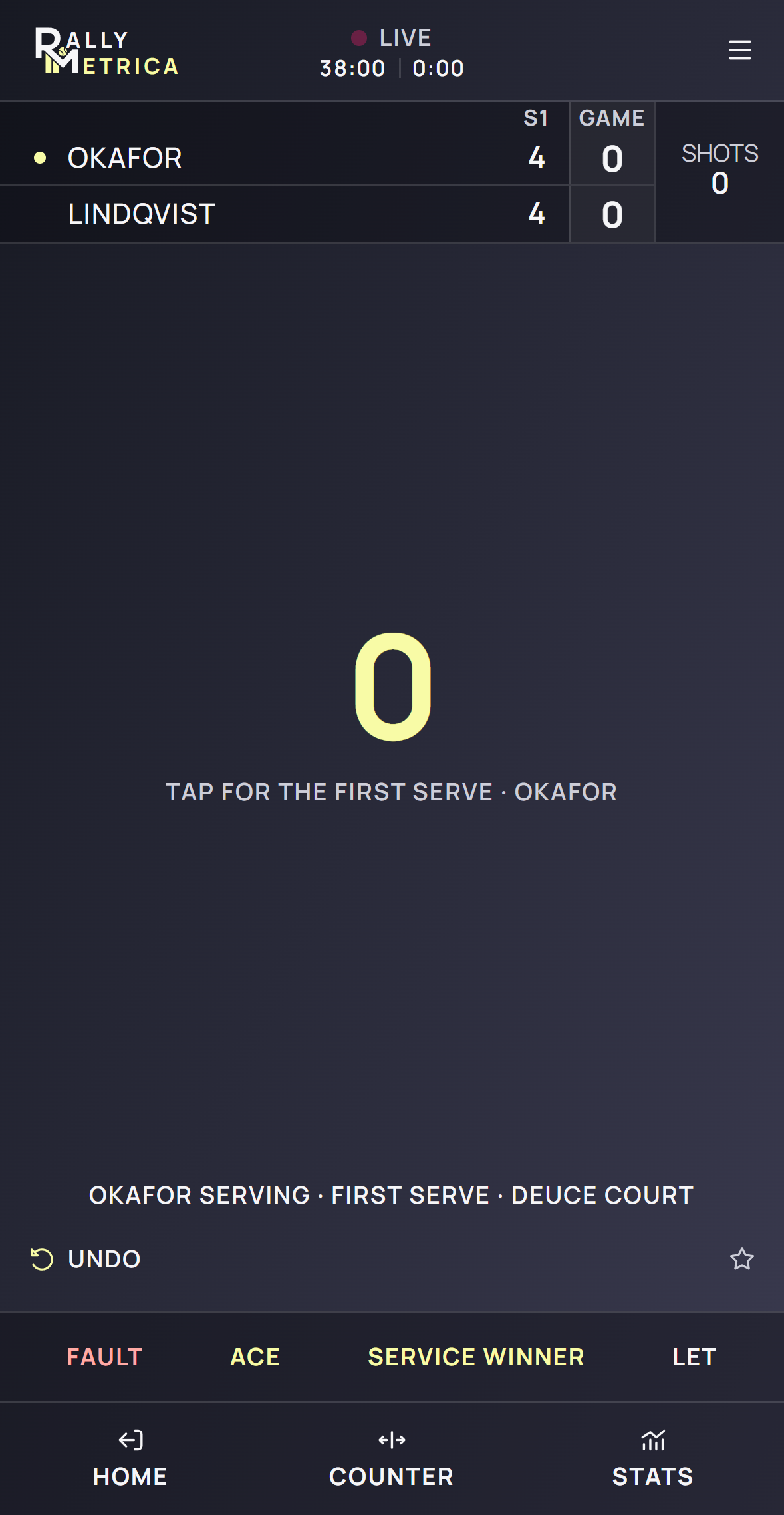
Choose Counter to count shots and record how each point ends. This supports serve percentages, rally length, winners, and errors, without recording court placements.
- 4
Record the full picture with Detailed
Choose Detailed to tap each landing on the court. This adds placement, direction, depth, serve targets, zone traits, and pattern matching.
- 5
Adjust during the match
The middle footer control cycles between Detailed, Counter only, and Score only. A change preserves shots already tapped and clears an unconfirmed placement. The new level applies to this match.
Good to know
- Counter and Score do not record court coordinates, so full rally paths require Detailed tracking.
- At match setup, Free includes two non-score trial matches. After those trials, Counter and Detailed require Player or Coach.
- Pattern focus is available only when you set up Detailed tracking.
Keep exploring