Meet Rallymetrica
Your tennis.
With more perspective.
From the score in front of you to the pattern behind it. Explore the tools that connect tracking, understanding, and progress.
01 / On court
Track the match your way.
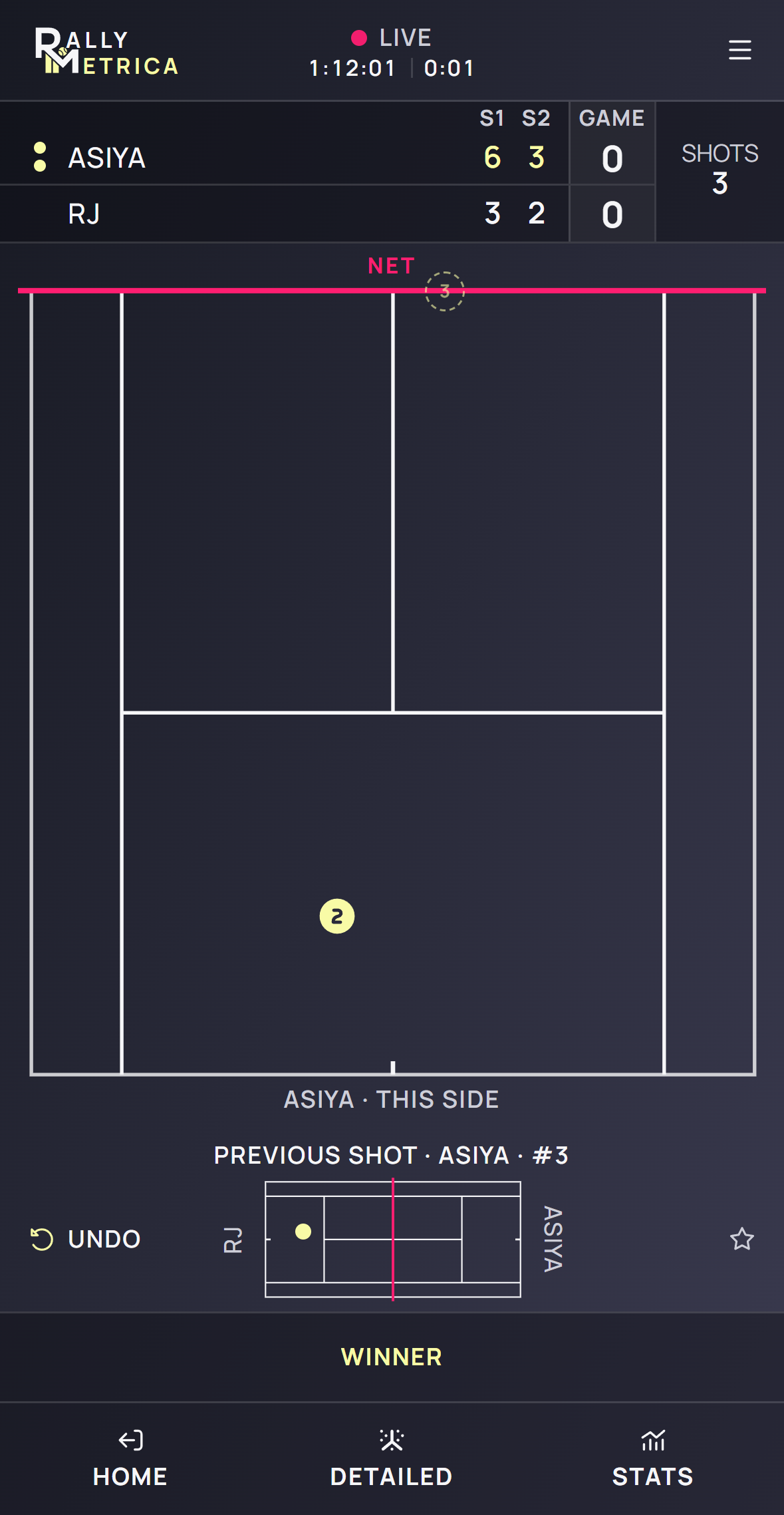
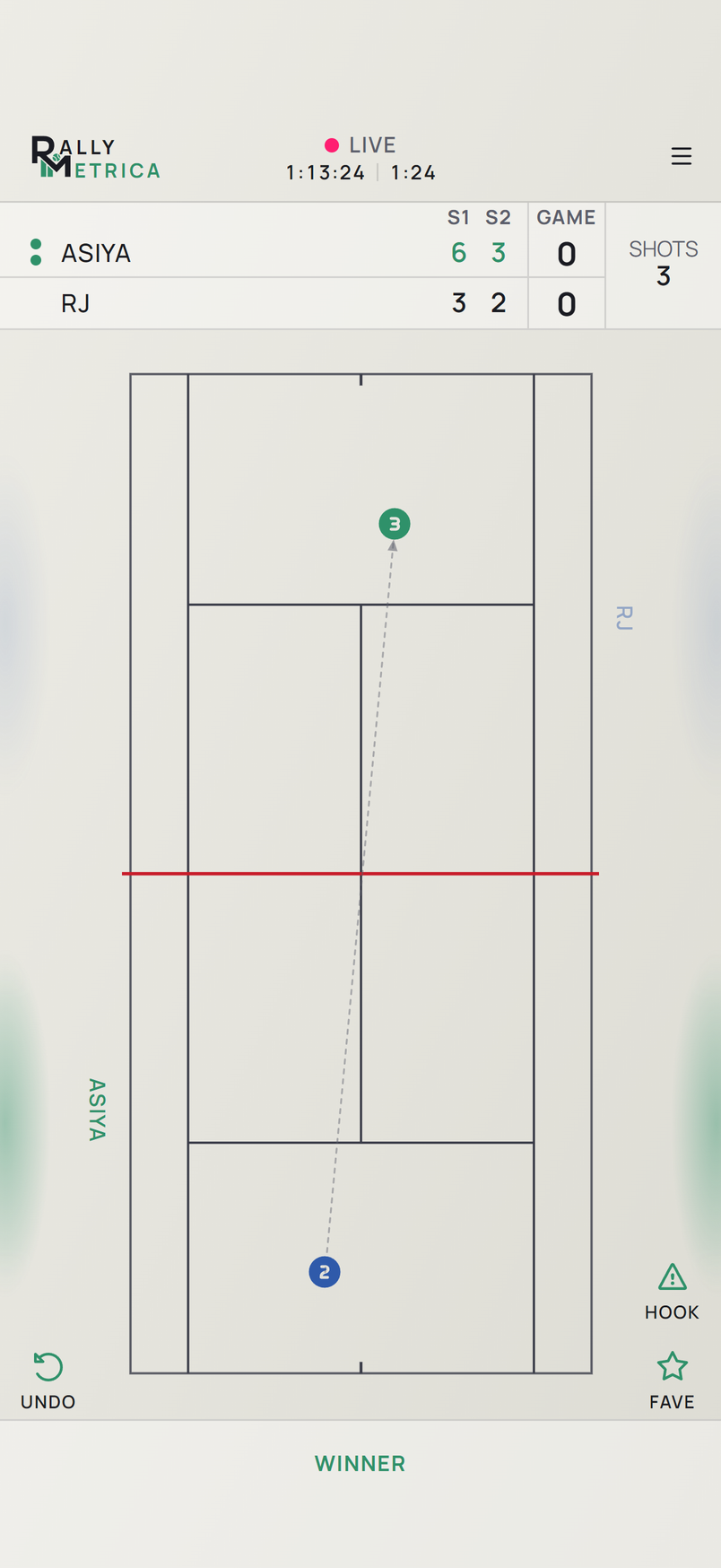
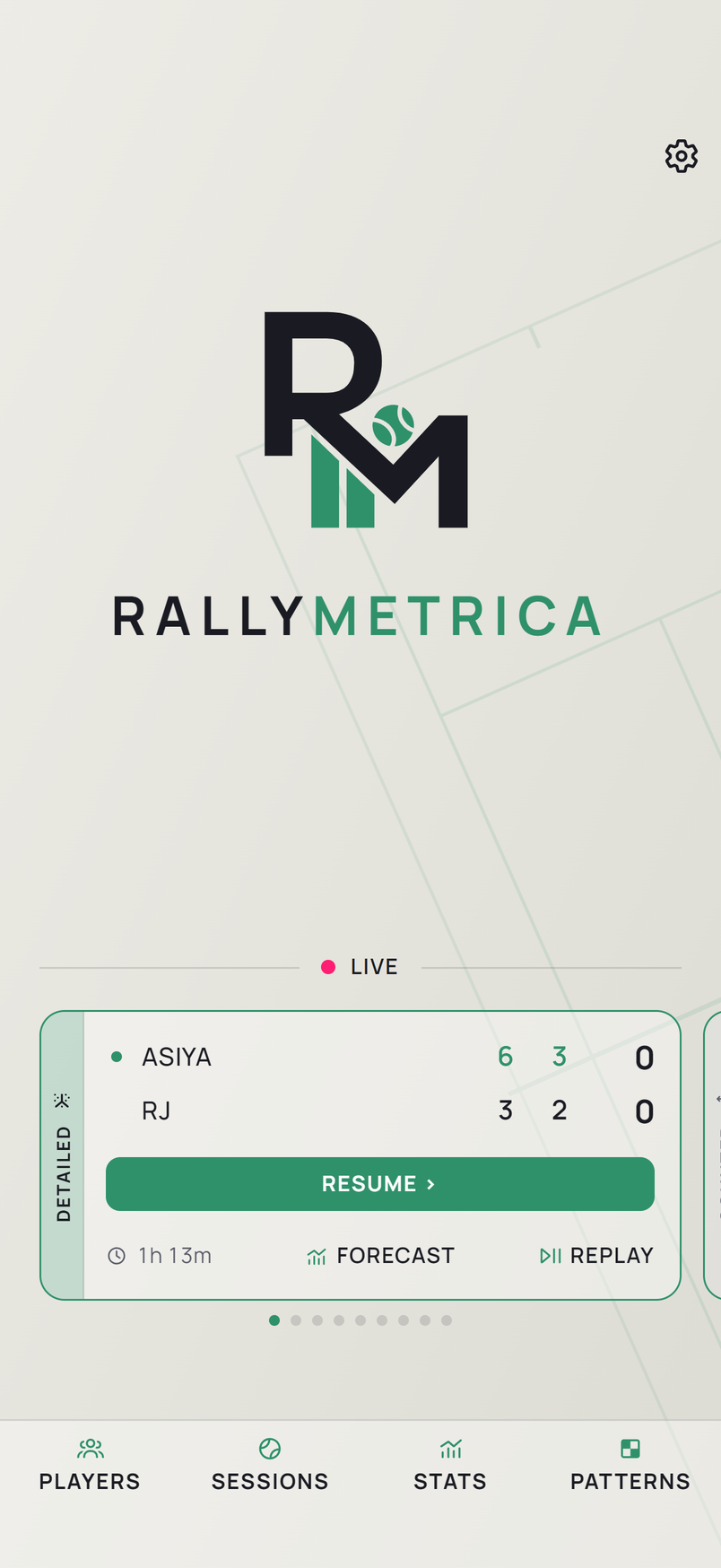
A busy match deserves a practical tracker. Start with point winners, add rally counts and endings, or record every landing. You choose how much detail to capture — and when the score decides the match, the court holds at FINAL with one END MATCH button, Undo still live until you press it.
- Score only: point winners and scoring
- Counter: shot counts and point endings
- Detailed: court placements and pattern matching
- Hooks: mark a ball you saw land in that the players called out
- Undo mistakes and resume a live match
02 / After the point
See how the result happened.
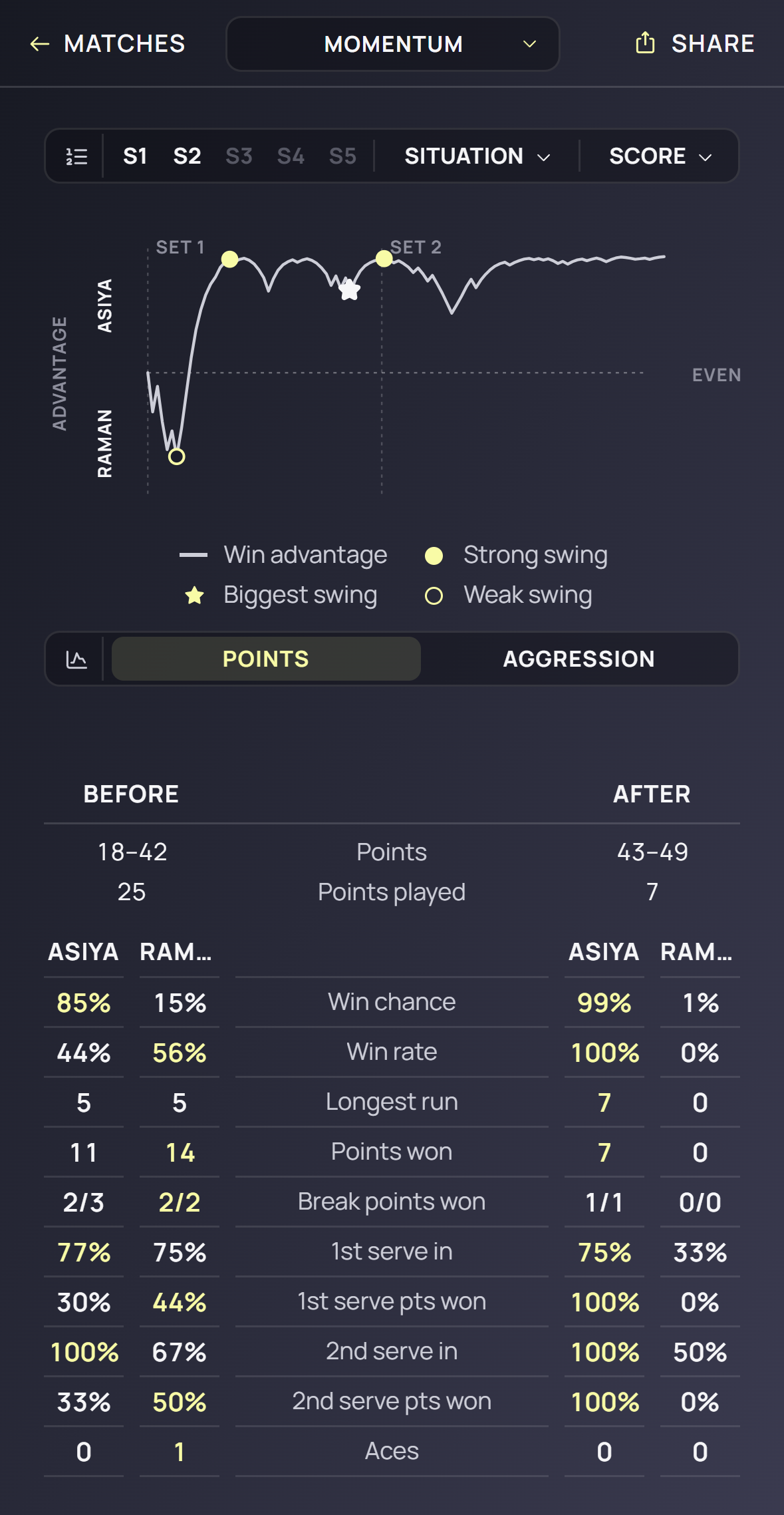
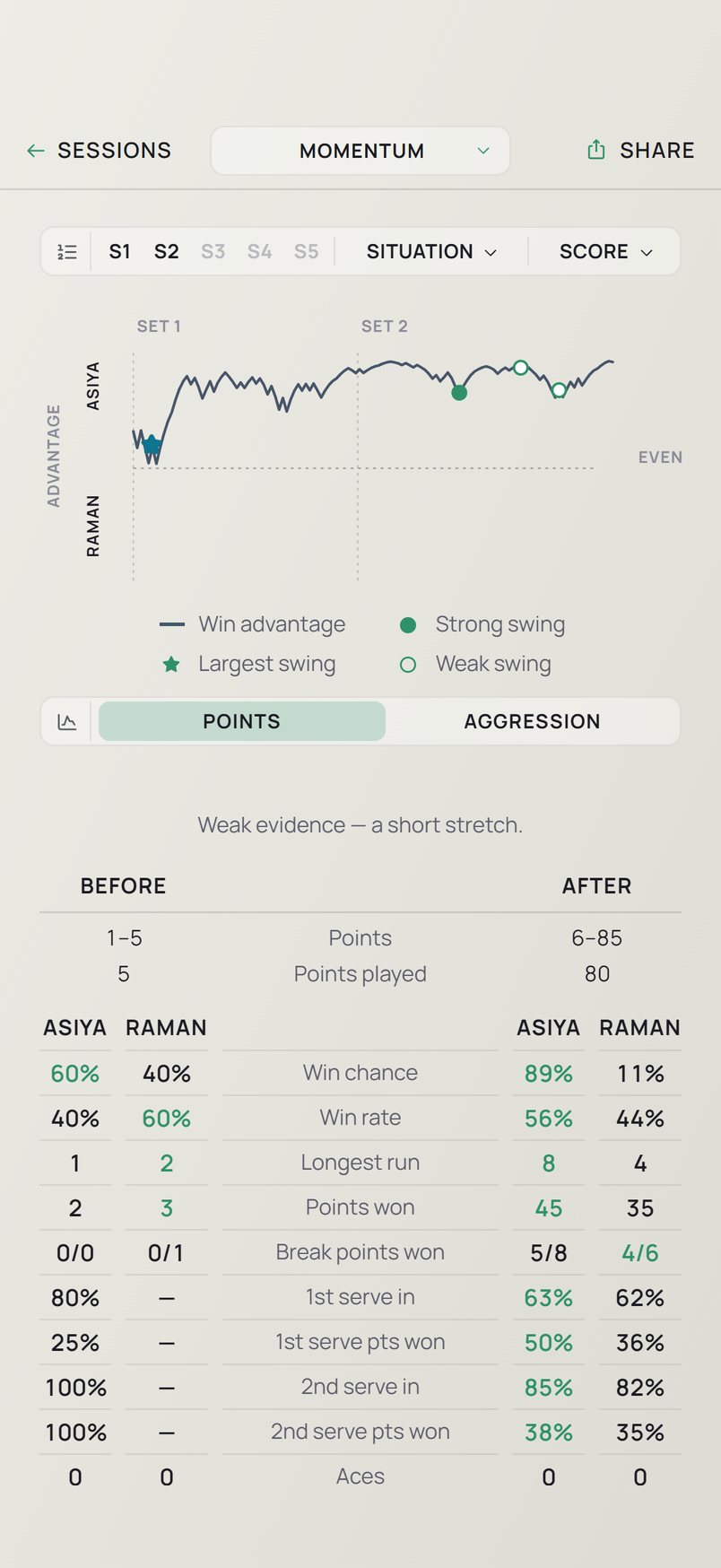
Momentum, the Edge map, aggression, serve, return, pressure, placement. Explore the report page by page and use situation and score filters to ask a more specific question.
- Momentum: who was ahead, and the swings that decided it
- Aggression: aces, service winners, winners and forced errors built against points given away
- Placement as a table of zones or as every landing on the court — Depth, Width, FH zone, Lanes, Serve
- Situation, score, and set filters on every page
- Share any report as a PDF — the report on paper — or export its points as a CSV, one row per ball
03 / The Edge map
Your shots against theirs.
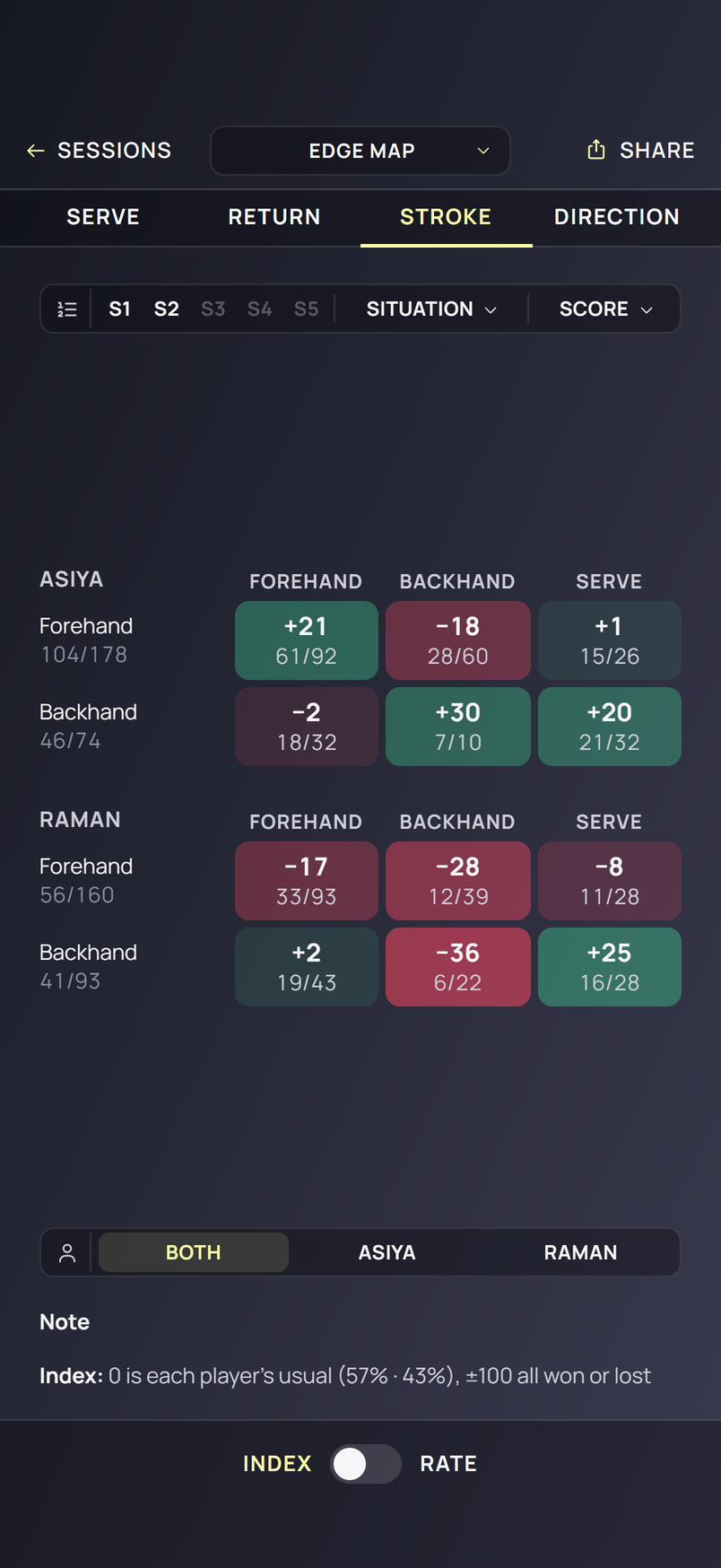
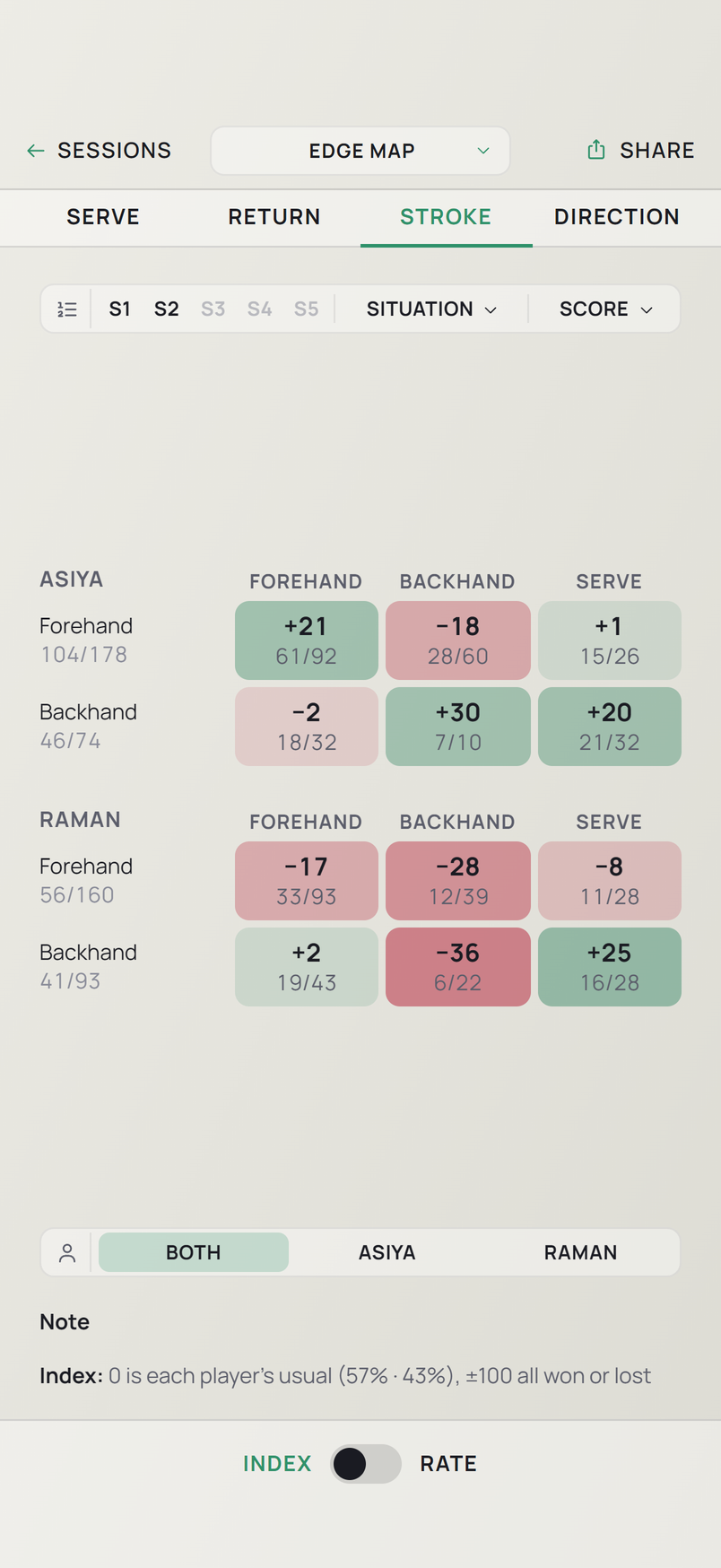
Every exchange in a Detailed match — the ball you met and the ball you hit — counted once with the point’s outcome. Each cell says how much better or worse you did in that exchange than your rate for the match: green a strength, red a weakness, the colour deepening with evidence and grey until there are three points. Four tabs in the order a point happens.
- Serve: your 1st and 2nd against their forehand and backhand return
- Return and Stroke: the same exchanges from the other end, and forehand against backhand
- Direction: crosscourt, down the line, the angle, the channel
- On the report, in Quick stats, across the season on the Stats tab, and in the PDF
04 / The report, on paper
Take the match off the phone.
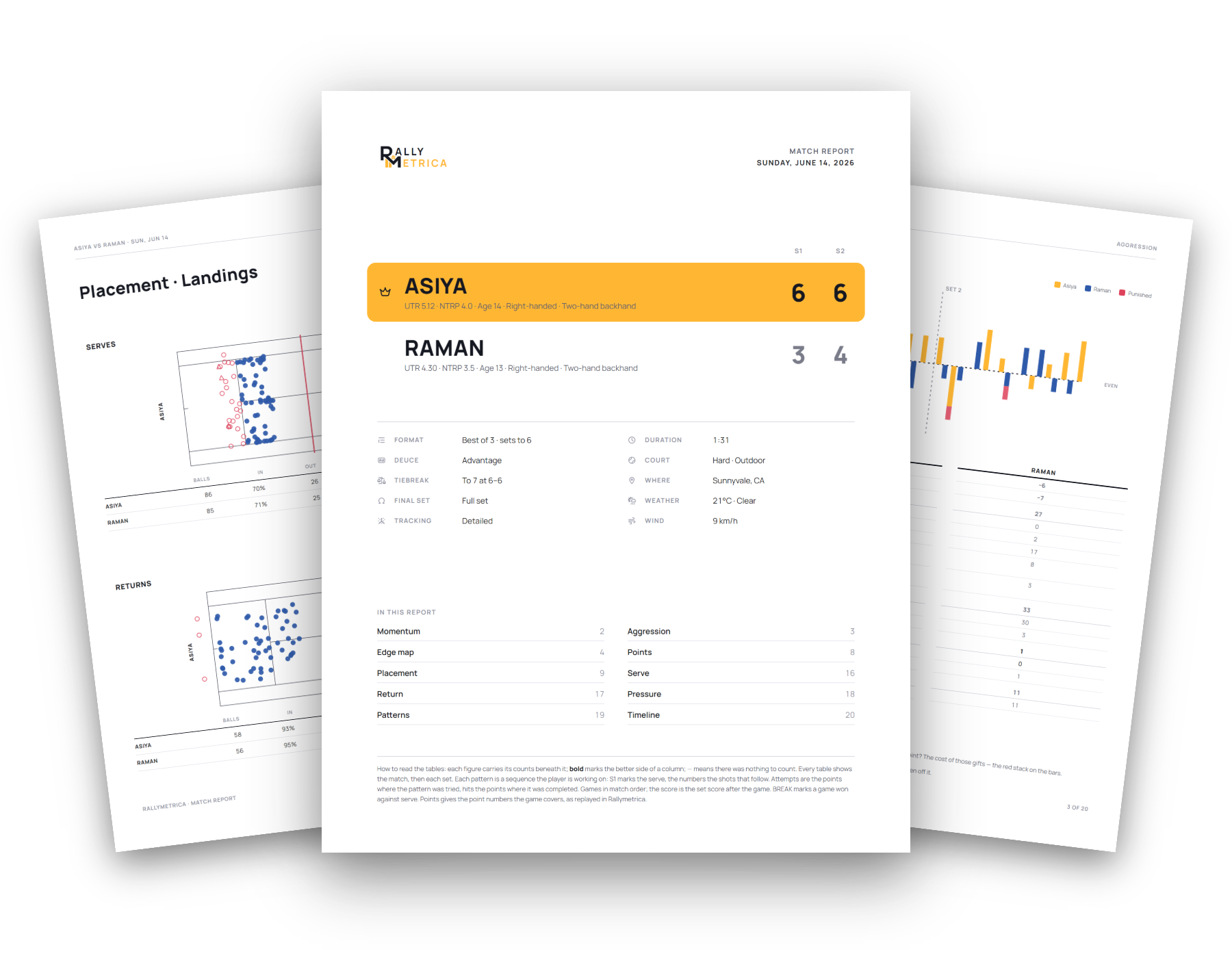
Share any report as a PDF — page for page as the app draws it: the cover with the winner’s band, Momentum, Aggression, the Edge map’s four sheets, every table, the landing maps with their placement tables, the patterns and the timeline. Send it, save it to Files or print it from one sheet; the same sheet exports the points as a CSV.
- Every report — match, rally, co-op, serve — in its own page order
- Send, save to Files or print from the Share sheet
- CSV: one row per ball; the season as one spreadsheet from Settings → Data
- Import from SwingVision — coming soon
05 / A closer look
Revisit the rally.
Follow recorded point data back onto the court. Move by shot, point, game, or set, and return to a moment from the timeline or momentum strip.
- Animated replay from recorded placements
- Play, pause, and move through available units
- Review a finished match or replay so far
- Full rally paths require Detailed tracking; replay is not video
06 / Over time
Give every match some context.
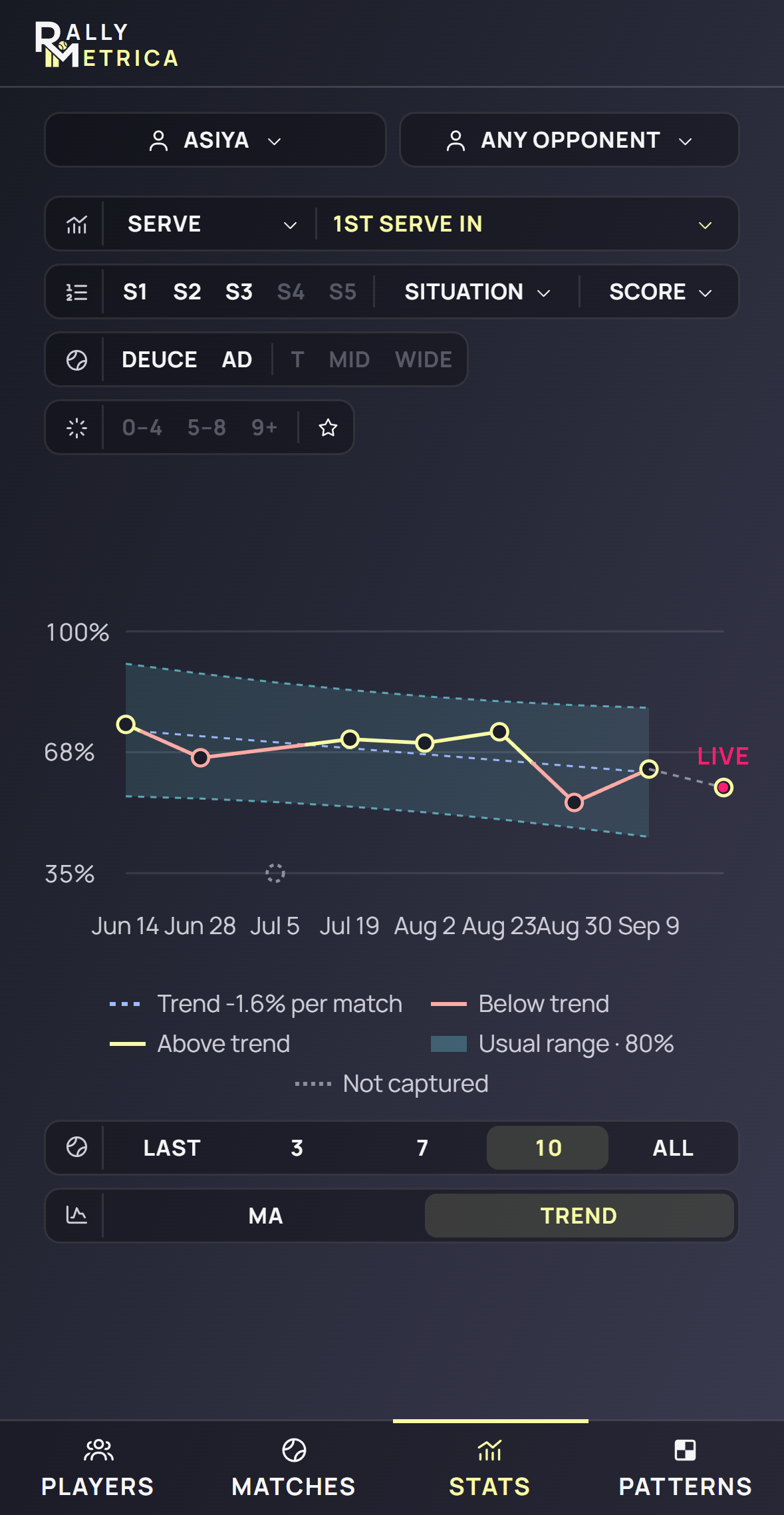
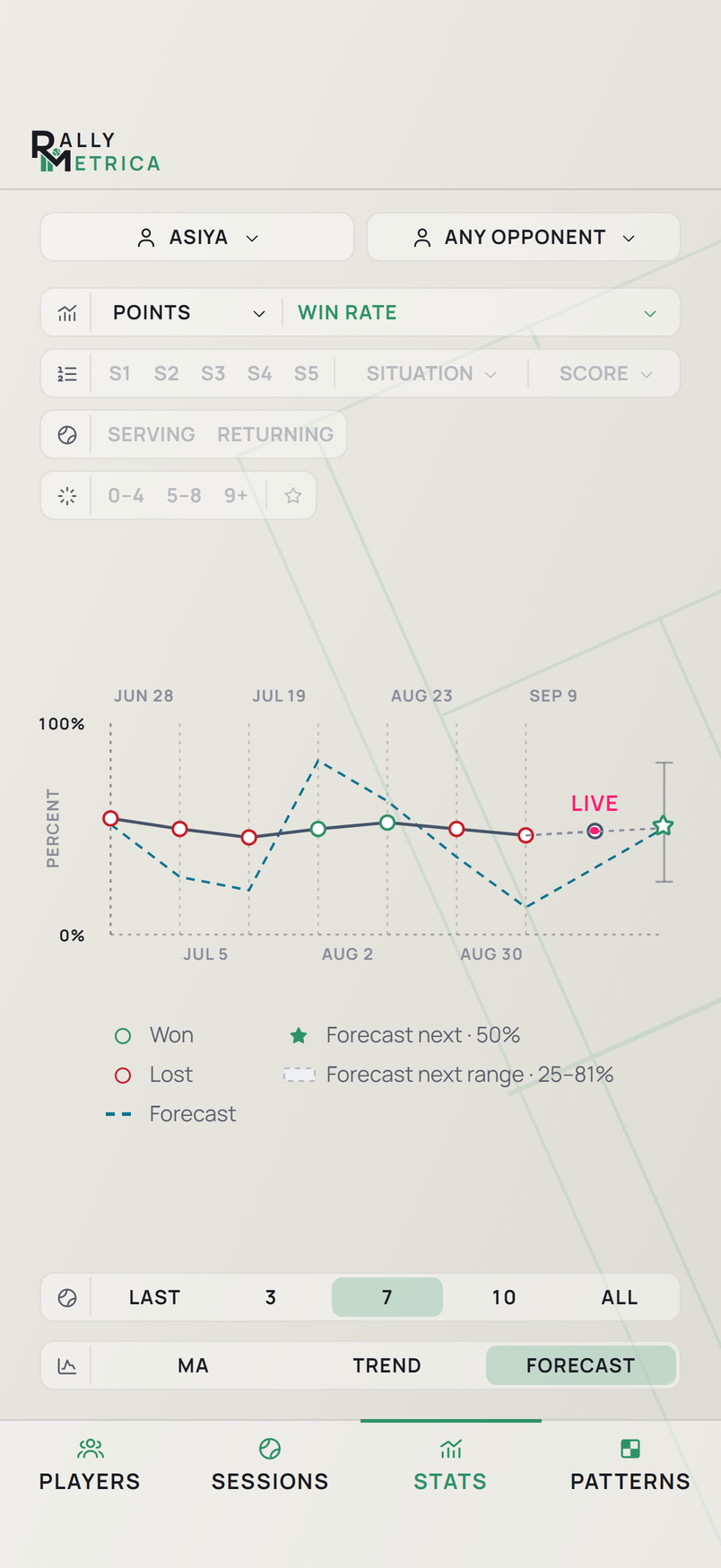
A result is easier to understand when you can see what came before it. Follow every metric — aggression and placement included — over your last 3, 7, 10 or all matches, head to head against an opponent, with a moving average and a trend line; the Edge map reads the whole window against the field or one opponent.
- Player profiles and match history
- Every metric over a match window — matches only; a session’s trend is its own report’s
- Head-to-head against any opponent you have faced
- Moving average and trend, coloured above and below
07 / Practice
Practice with a score. Rally games, co-op runs, serve blocks.
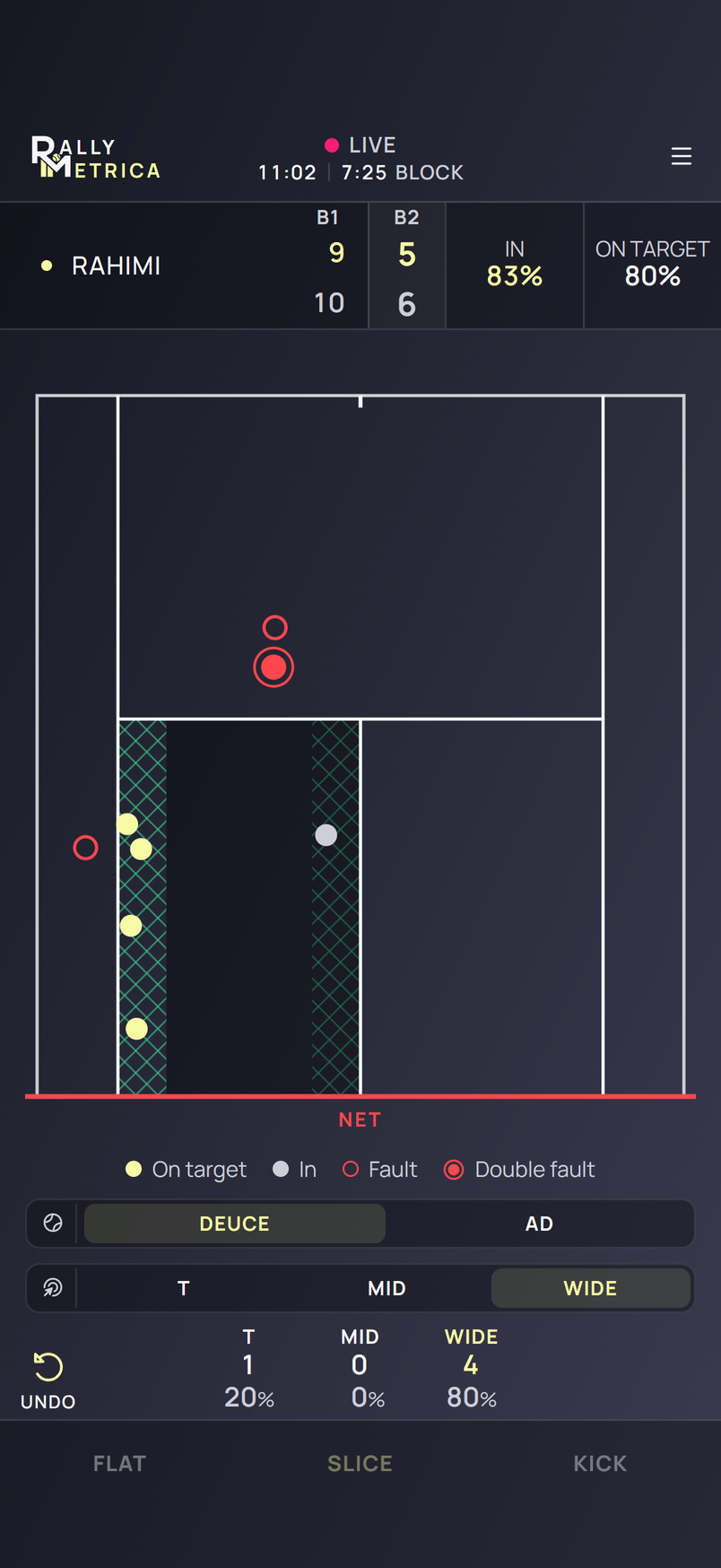
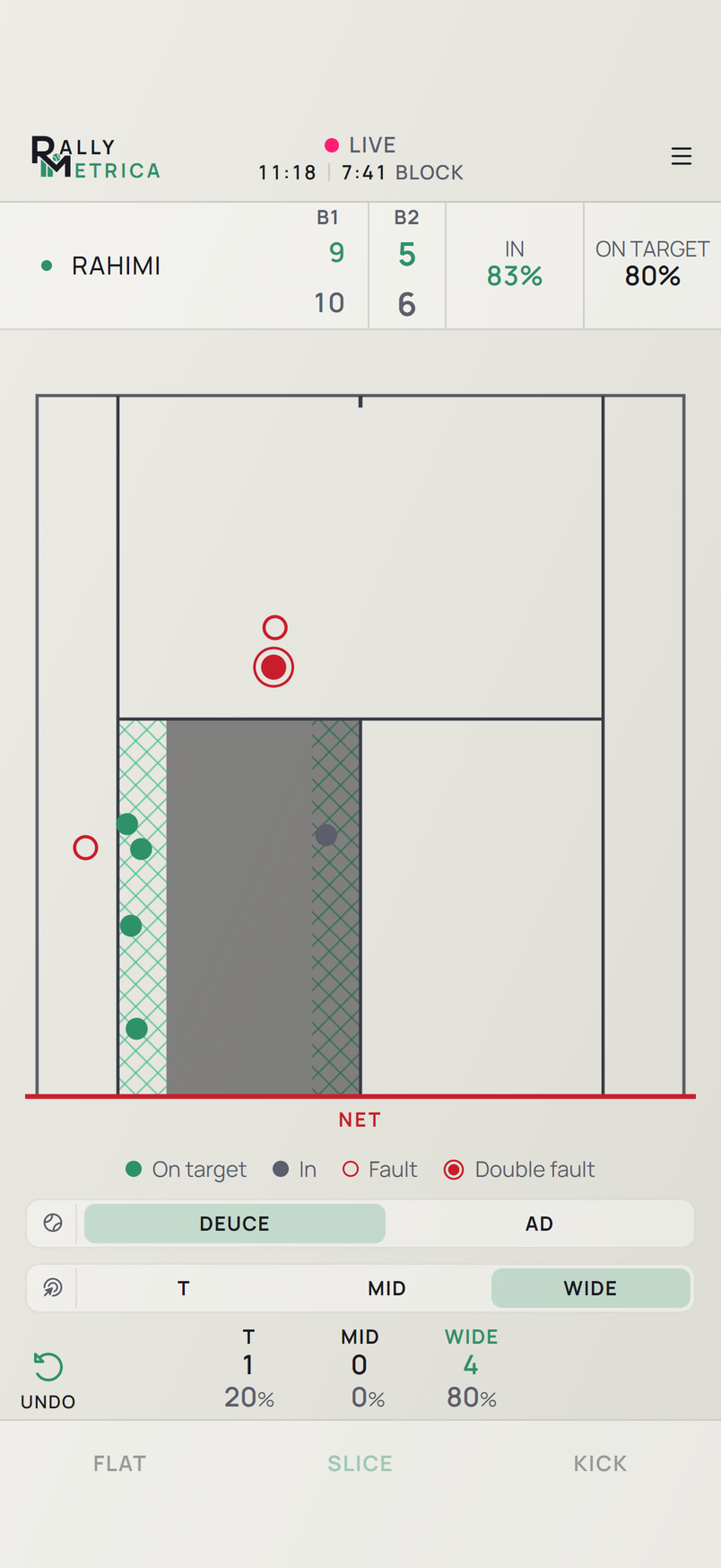
The Sessions tab puts matches, rally sessions and serve sessions side by side. A rally session is first to 11, 15 or 21 in blocks, timed, or open — started by a serve or a feed — or a co-op counting the run. A serve session is a basket in blocks, each judged against the target you pick on the court — the zones cross-hatched, the picked target lit and the rest of the box dimmed.
- VS rally: one rally, one point; blocks as sets; two serves or one
- Co-op: any miss ends the run; every run recorded with how it ended
- Serve: pairs, first or second serves only; IN % and ON TARGET % per block
- Each kind opens its own report; the coach follows a session live too
08 / Stay connected
Follow your player. From your phone.
Link a coach and player once, then follow the match as the points land — in the background, with a notification every set, game or point. The coach sees the score, opens the report, and revisits recorded rallies on their own phone.
- Linking by a sent link or by code, with the player’s approval
- Every saved point arrives live, end-to-end encrypted
- Notifications per student: live scores by set, game or point
- Offline updates sync when connectivity returns
09 / Patterns of play
Create the plan. Measure the execution.
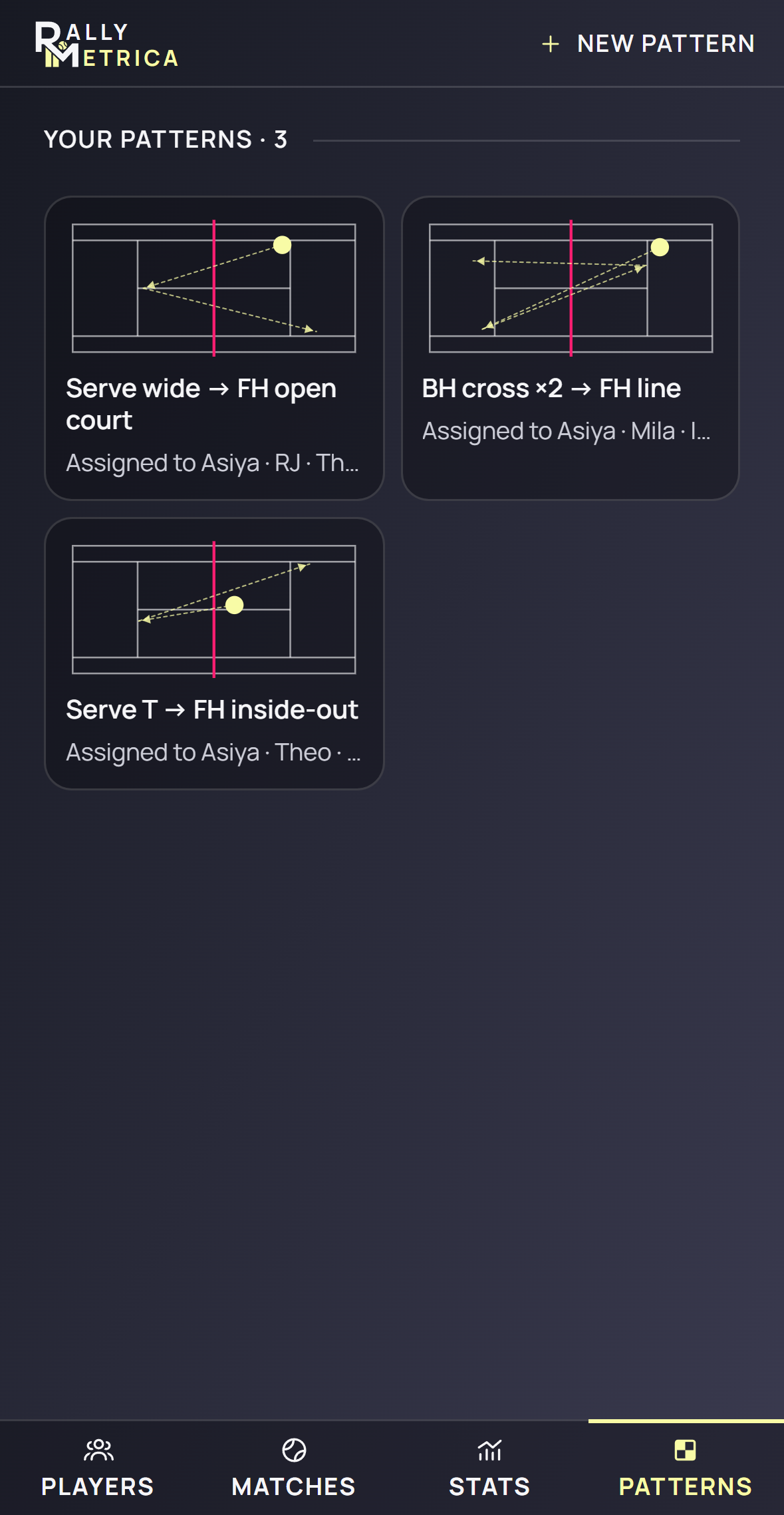
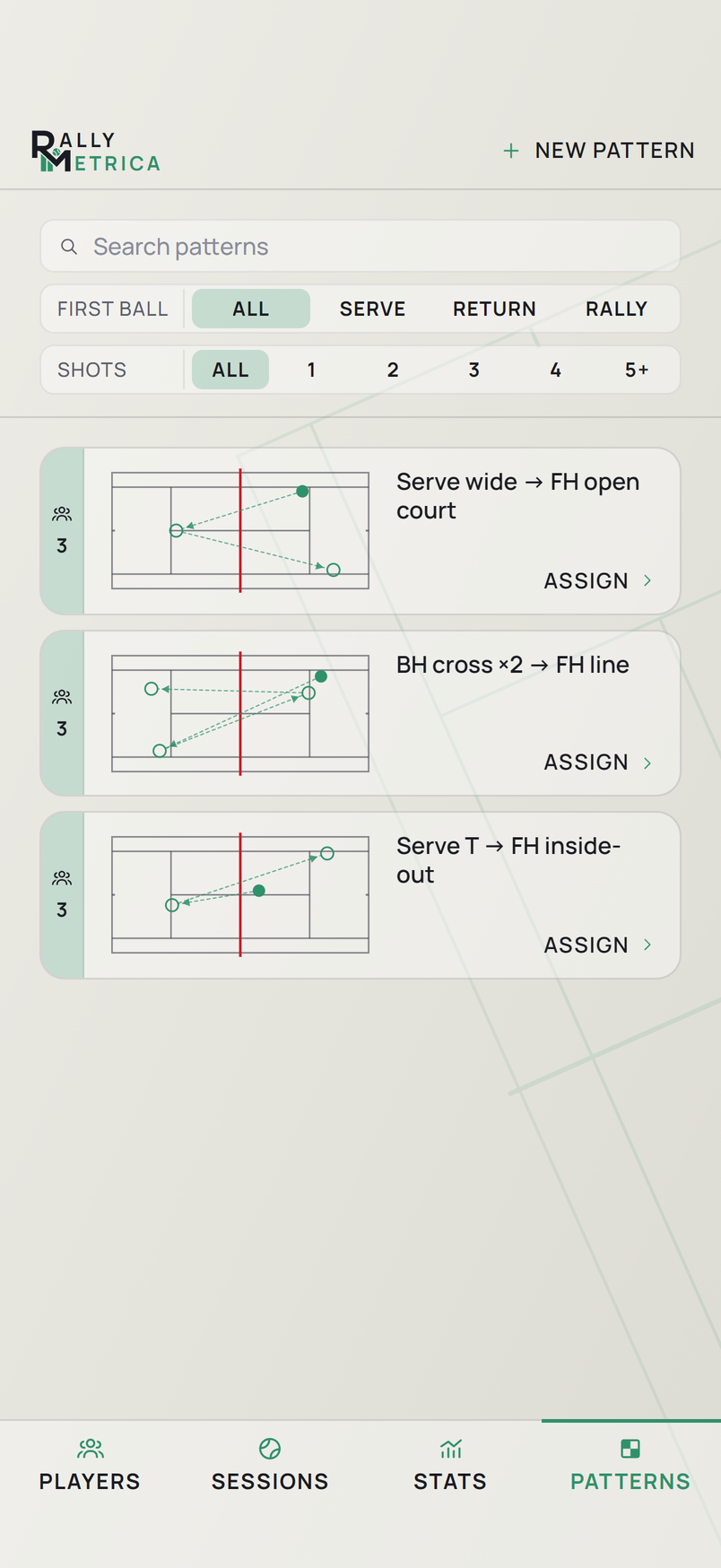
Draw a pattern of play and assign it to your players. Include it in Detailed tracking — a match or a rally session — to see how often the full sequence was executed and how many of those points were won.
- Create from a blank court or a template
- Assigned patterns sync to linked players
- Up to three selected patterns per player
- Attempts (the sequence played through) and the share of those points won
Your next match, with more meaning
Know your game.
One point at a time.
Get Rallymetrica on the App Store, then explore the guides to make the most of your next match.