Assign a pattern. Measure its success.
Turn a tactical idea into a sequence you can draw and assign. Detailed match reports connect the plan with its execution: how often the sequence was completed, and how often those points were won.
- 1
Open the pattern library
On the Coach plan, go to Patterns → + New pattern. Choose Blank court or start from a template.
- 2
Draw the sequence
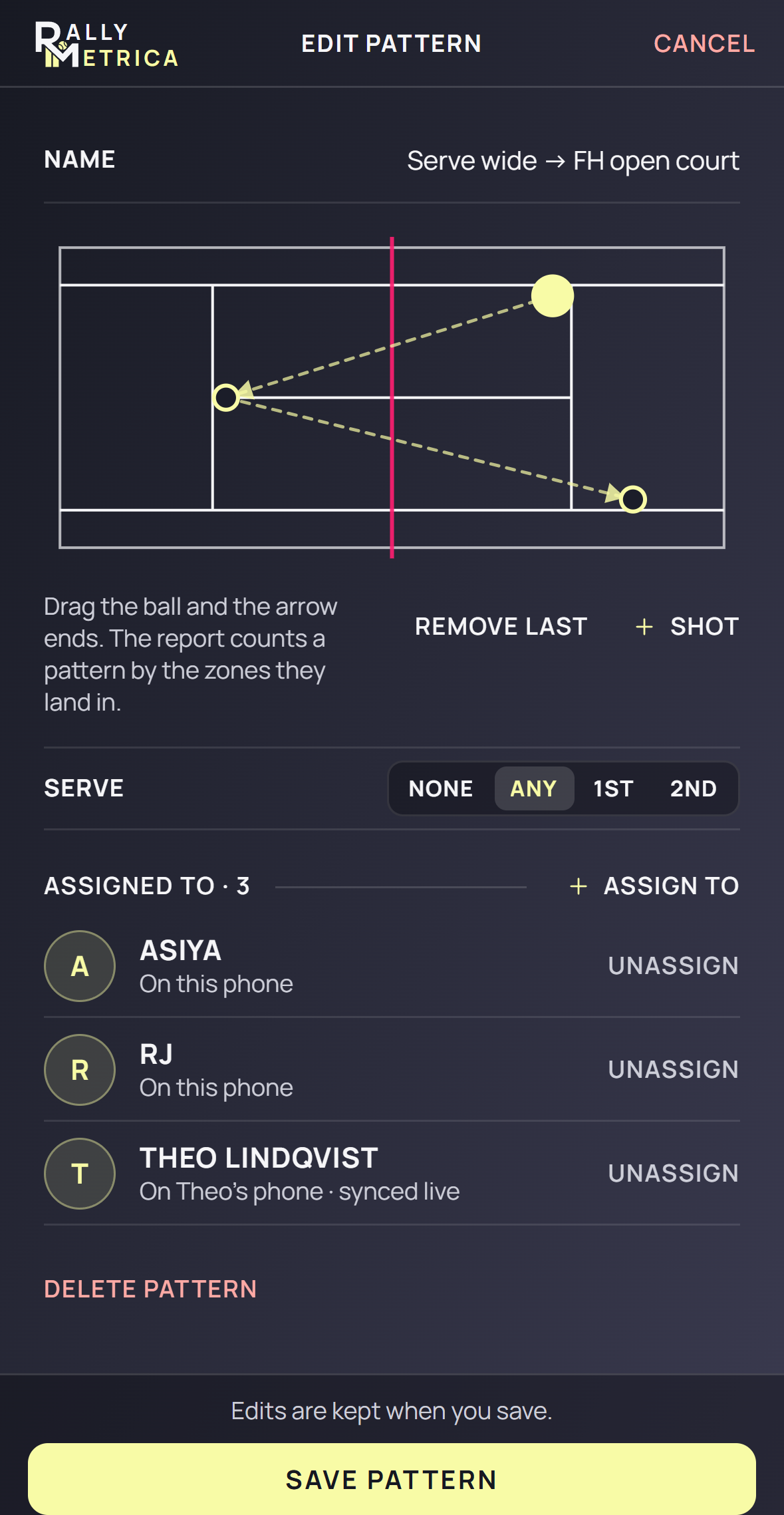
Name the pattern, drag the ball and landing handles, and use + Shot or Remove last to change the sequence. Consecutive landings must alternate sides for it to be counted.
- 3
Assign and save
Use Assign to to choose the players, then tap Save pattern. Changes and draft assignments are saved together. A linked player receives the assigned patterns at the next sync.
- 4
Choose the match focus
During setup, choose Detailed, then turn on Include patterns under Pattern focus. Select up to three patterns per player. Coach can also use + From library. Record the landings during the match so the app can match the sequence.
- 5
Read attempts and completions
Open the match report’s Patterns page. An attempt is counted when the recorded point reaches the pattern’s opening zone with the correct player and serve context. A completion means the full sequence of landing zones was recorded in order. Each pattern counts at most once per point.
- 6
Understand the result
3 of 7 attempts · 67% won means three complete executions from seven openings, and two of those three completed-pattern points won. The percentage describes points won after completion. Player profiles also bring pattern results together across recorded Detailed matches.
Good to know
- The pattern library and editor require Coach. A linked Player can include patterns assigned by their coach.
- Pattern counts are inferred from manually recorded landing zones. Counter and Score do not provide execution counts.
- Pattern focus is available only in Detailed setup. Switching away from Detailed clears the selected patterns.
- A match keeps the patterns selected at its start; later edits do not rewrite that match’s results.
- Serve options None, Any, 1st, and 2nd appear only when the first ball is in a service box. Cancel discards unsaved edits.
Keep exploring